In complex argument maps there will often be areas in which the arguments have a common theme, for example. Different areas of a debate can be visualized using Groups .
Note
An arrangement in groups only applies to one argument map. Thus, arguments can be grouped in different ways in different argument maps.In our example, we will group together all arguments concerning the question of whether software is intellectual property.
- Select all arguments concerning the question of whether software is intellectual property ("Intellectual property", "Mathematical algorithms", and any other arguments you may have reconstructed).
-
Click the
Group
 button in the toolbar (at the top of the Argunet window).
The
arguments are now grouped together. The name of the group is
Untitled
.
button in the toolbar (at the top of the Argunet window).
The
arguments are now grouped together. The name of the group is
Untitled
.
- Position the mouse pointer over the name of the group and open the context menu (Windows: right-click).
- Select the option Rename . A dialogue box with a text field opens.
- Enter Property? and click OK .
The new name appears above the group.
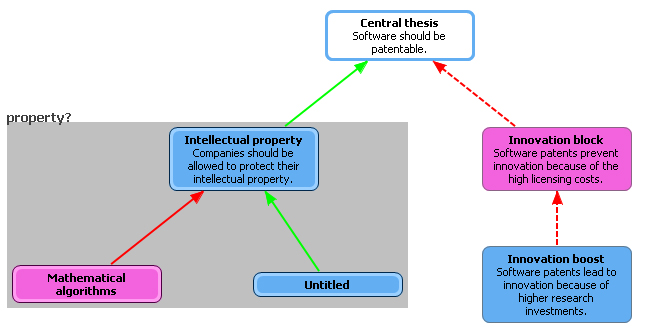
Arguments can be added to an existing group.
- Create a new argument close to the new group.
- Select the new argument and an argument that belongs to the group.
-
Click the
Group
button in the toolbar.
The argument is added to the group.
- Select the argument(s) you want to remove from the group.
- Position the mouse pointer over the argument you want to remove and open the context menu (Windows: right-click).
- Select the option Remove from Group .
The argument is removed from the group.