Table of Contents
This tutorial describes how reconstructed debates can be made accessible online via the Argunet server and how other users can be invited to join the reconstruction of the argumentation or the debate.
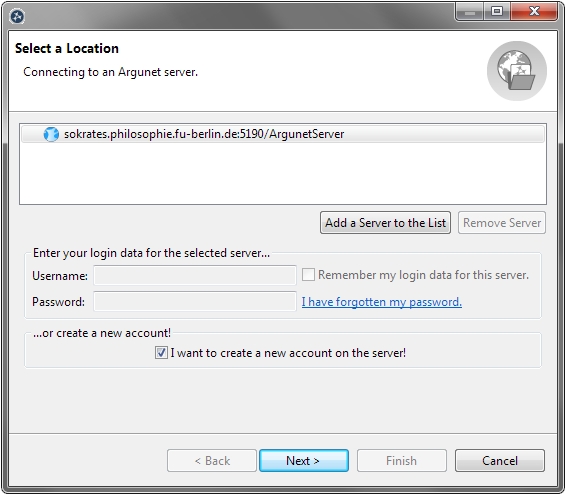
Argunet debates are made accessible on the internet via a server (for example, sokrates.philosophie.fu-berlin.de:5190/ArgunetServer). To use this server, you have to create an Argunet account.
- Start Argunet.
-
Select
Create a New Debate
 . The wizard opens in a new window.
-
Select the location
 sokrates.philosophie.fu-berlin.de:5190/ArgunetServer
.
sokrates.philosophie.fu-berlin.de:5190/ArgunetServer
.
-
Select
I want to create a new account on the
server
and click
Next
to continue.
-
Enter the required user information for your account.
- Click Finish to create the account on the Argunet server and close the wizard.
-
Activate the account using the link that is sent to the
specified
e-mail address.
Note
This account enables you to open and create debates and arguments on the Argunet server.